What to back up
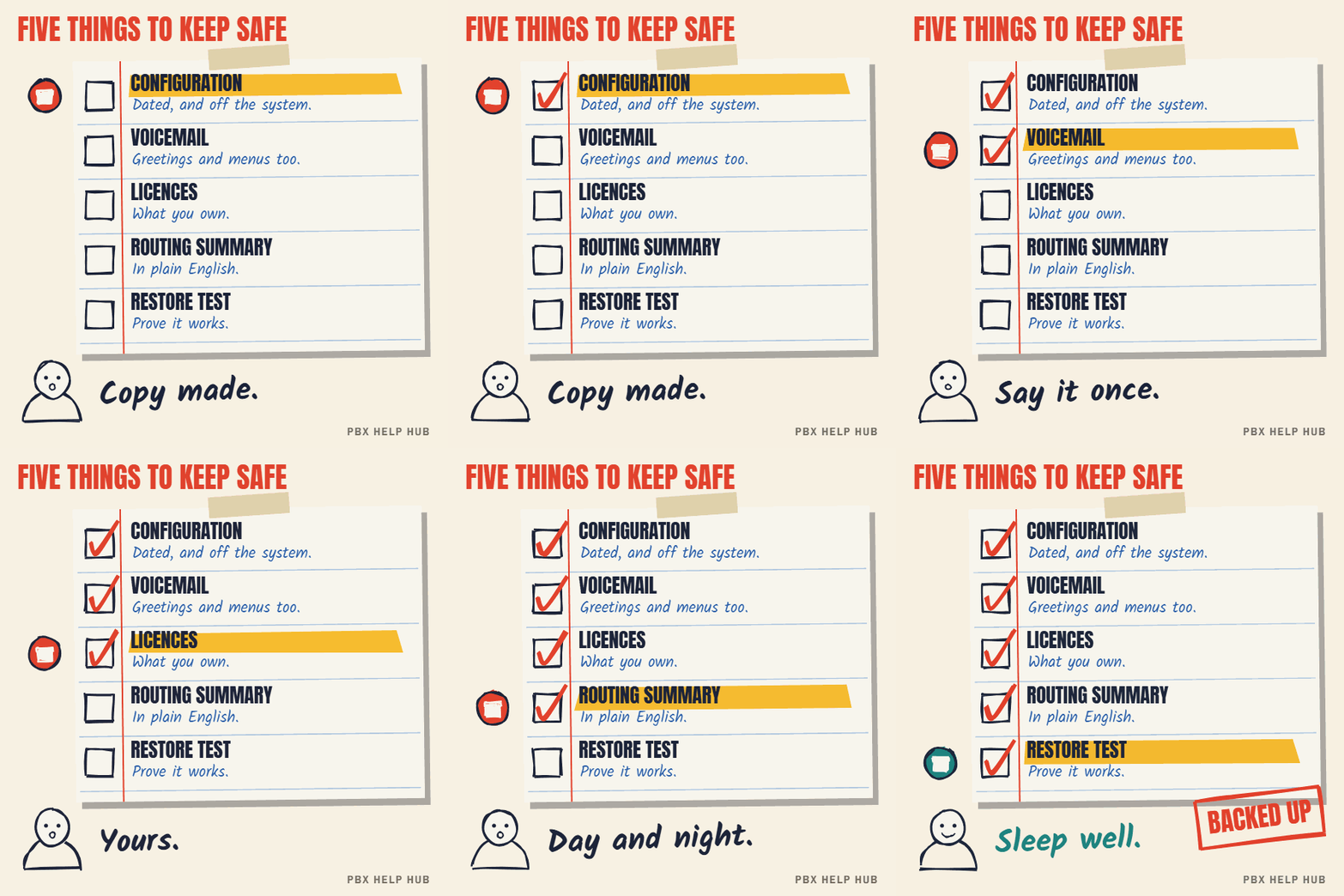
| Item | Why it matters |
|---|---|
| System configuration | Users, groups, routes, time profiles: everything that decides where calls go |
| Voicemail and auto attendant | Greetings, menus and recordings are often stored separately and are slow to recreate |
| Licence details | What you own, and the reference needed to move it to replacement hardware |
| A plain-English routing summary | Your numbers and where each one goes by day and night. Useful even without the system. |
| Admin access details | Stored securely, separately from the backup itself |
When to take one
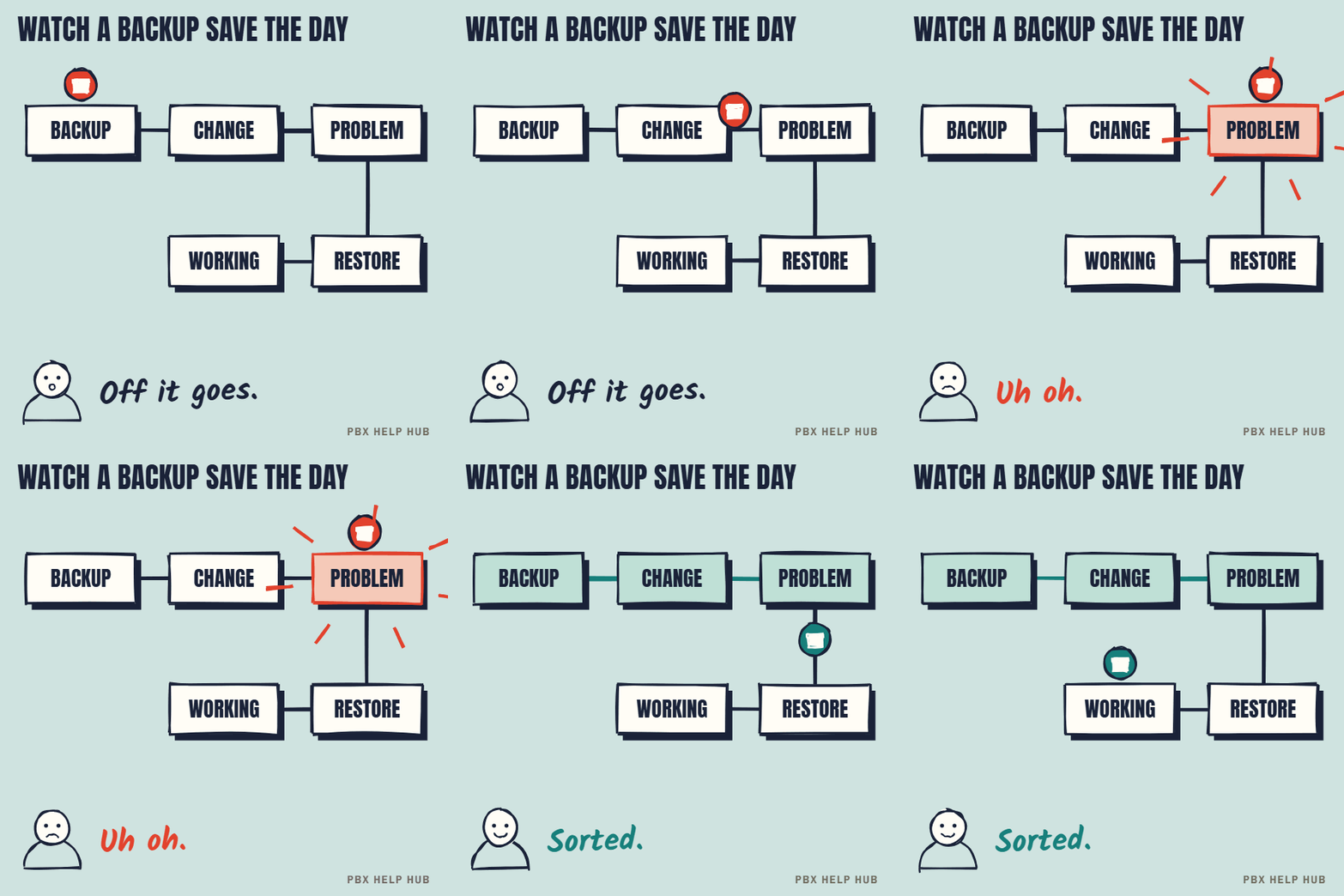
- Before any change, including "tiny" ones like adding a user.
- After a change is confirmed working, so the new state is safe too.
- Regularly, for example monthly, even when nothing changes.
- Before any visit, upgrade, move, or change of support supplier.
How to store it
- Name it clearly: system, date and reason, e.g.
Office-IPO_2026-11-08_before-new-starter. - Keep it off the system, so a failure doesn't take the backup with it.
- Keep several: the last few routine backups plus every "before" copy for at least a few months.
- Store it securely. Configuration files can contain names, numbers and passwords. Treat them like any confidential business file.
Check it can be restored
A backup only counts once you have restored it. Ask your maintainer to confirm, at least once a year, that your backup can be loaded. If you ever change support supplier, getting a current configuration backup is step one of the handover.
Even read-only checks are safer with a backup in hand. See IP Office Manager: read-only checks before you change anything.
Configuration backup versus full backup
A configuration backup saves the phone system's settings, while voicemail, recordings and licences may need backing up separately. Ask your maintainer exactly what your backup includes. A configuration file alone can rebuild routes, groups and users, but greetings and menus may have to be re-recorded if they weren't saved too.
A simple backup routine
| When | What | Who |
|---|---|---|
| Before any change | Configuration | Whoever makes the change |
| After a confirmed change | Configuration | Whoever made the change |
| Monthly | Configuration and voicemail | Maintainer, copy to you |
| Yearly | Test restore | Maintainer |
| Before a supplier change | Everything, plus a routing summary | Outgoing supplier |
The routing summary: the backup anyone can read
A one-page summary of your numbers and where each one goes is the most useful document you can hold, because anyone can read it without the system. List each number, its daytime destination, its out-of-hours destination, and who is in each group. If the system fails completely, this page lets a new supplier rebuild your call flows quickly. It also makes faults easier to spot: compare what should happen with what does.
Backups and changing supplier
When you change maintenance supplier, ask the outgoing one for a current configuration backup before anything else. Without it, the new supplier may have to rebuild your system from scratch. Our support handover checklist starts with this step for that reason.
When you'll need a backup
- A change goes wrong and calls stop reaching the right people.
- The main unit fails and is replaced.
- A software upgrade changes settings unexpectedly.
- A supplier leaves and takes their knowledge with them.
In each case, a recent backup turns a crisis into an inconvenience. If something has already gone wrong, see Escalate safely: when to stop and call an engineer.
Taking a backup on Avaya IP Office
If you have Manager access and your maintainer agrees:
- To save a copy, open the configuration, then choose File, Save Configuration As, and store the file away from the system.
- To restore it, open that file and use File, Offline, Send Config. Expect a restart, which drops every call.
- Keep the automatic copy on. The Backup File on Send option under File, Preferences, Security controls whether Manager keeps a copy when it sends a configuration.
Sources: BT: back up and restore your IP Office ↗
Common questions
How often should I back up my phone system?
Before and after every change, and routinely, for example monthly.
Does a configuration backup include voicemail?
Often not. Greetings, menus and messages may be stored separately, so ask your maintainer.
Who should hold the backup?
Your maintainer, and you. If you change supplier, you'll need your own copy.
Is a phone system backup sensitive?
Yes. It can contain names, numbers and passwords, so store it like any confidential file.
Sources
Last checked 9 November 2026 against the sources listed here. Menus and defaults can differ by software release, so confirm them on your own system. Spotted a mistake? Tell us.