Copy this log
Copied. Paste it into your email or ticket.
Why this helps
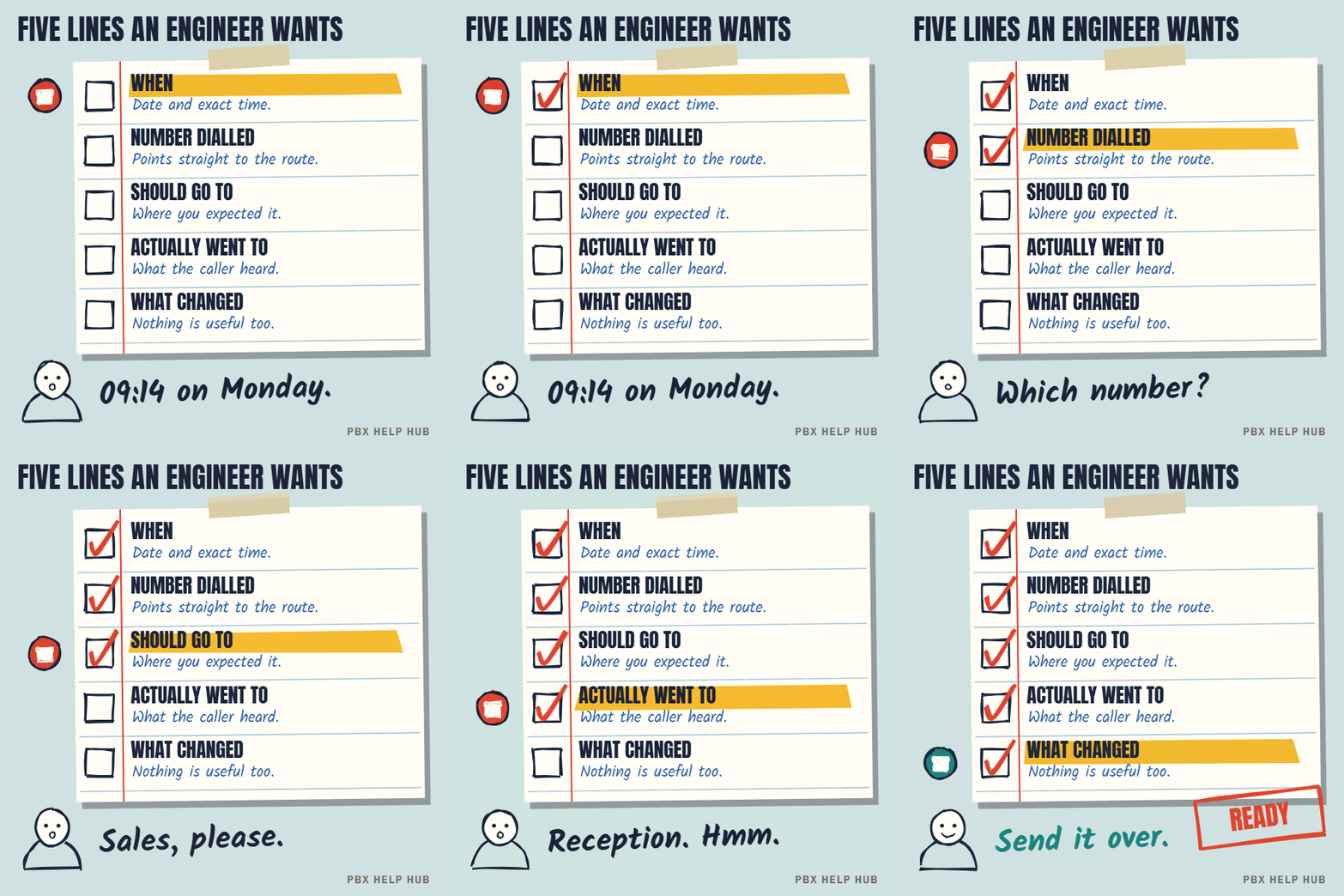
- Exact times let an engineer find the calls in the system's logs.
- The number dialled points straight to the route that handled it.
- "Changed nothing" is as useful as a change: it rules things out.
When it's ready, send it with a fault review request or to your maintainer.
A worked example
A good fault log is short and specific: three real calls, exact times and what happened.
| Time | Number dialled | Should go to | Actually happened |
|---|---|---|---|
| Mon 09:14 | Sales DDI | Sales group | Rang reception |
| Mon 11:40 | Sales DDI | Sales group | Rang reception |
| Mon 14:05 | Main number | Reception | Worked |
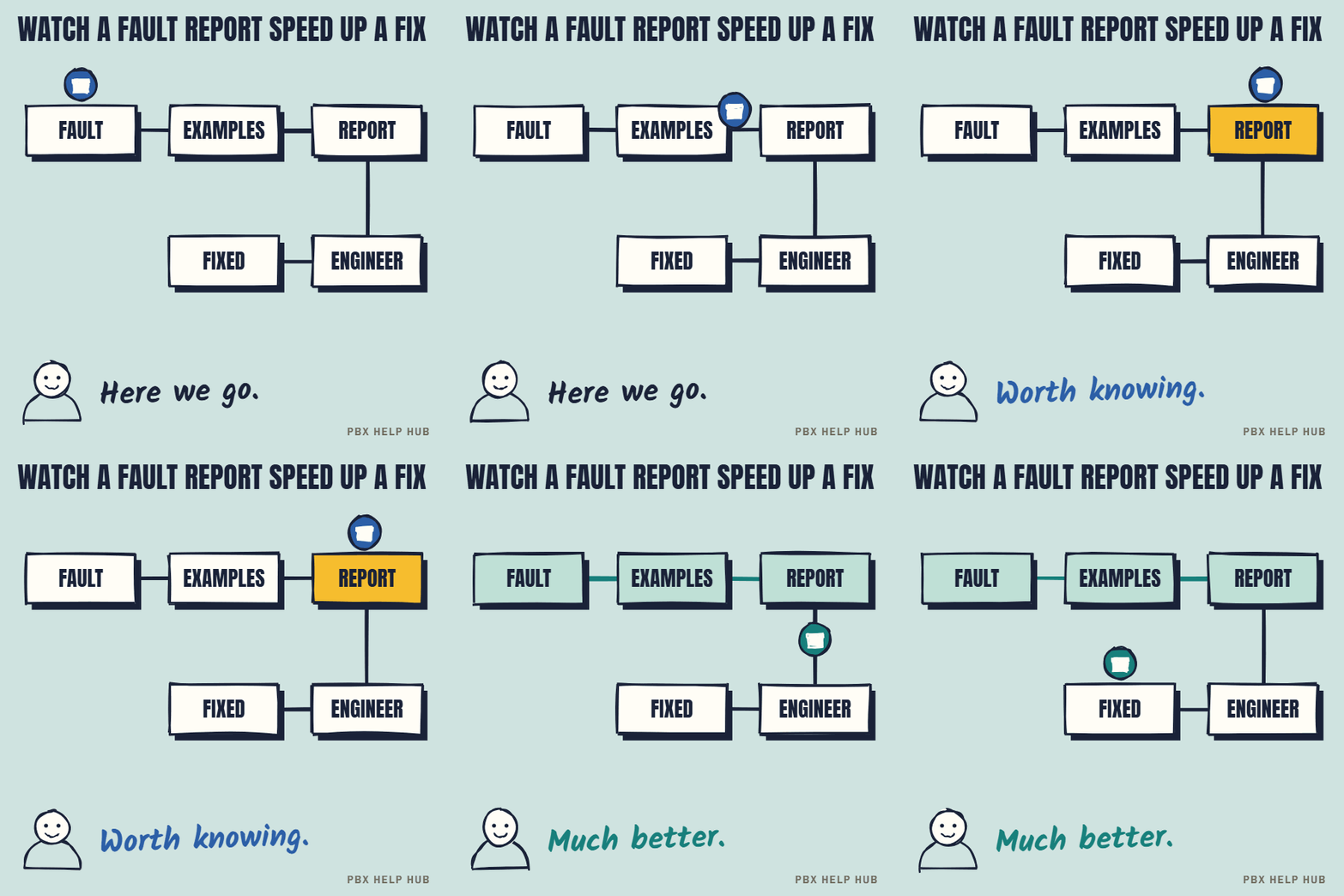
From this, an engineer can see one number is going wrong all day, while the main number works, which points straight to that number's incoming call route.
What not to include
Leave out passwords and customers' private details. Note a caller's number only where it helps find the call, and send logs through your normal support channel, not social media. If the log includes callers' numbers, treat it as confidential.
Your evidence checklist
- Collect three real examples with exact times.
- Note the number dialled and the caller's number for each.
- Write where each call should have gone, and what happened.
- List what you've already checked.
- Note any recent change, or "nothing changed".
Common questions
What information does phone support need?
The time of each failed call, the number dialled, the caller's number, where it should have gone and what actually happened.
How many examples should I collect?
Three is usually enough to show a pattern.
Should I say what I already tried?
Yes, including anything you changed. It saves the engineer repeating checks.
Can I send the fault log by email?
Yes. Copy it into your email or ticket.
Sources
Last checked 9 November 2026 against the sources listed here. Menus and defaults can differ by software release, so confirm them on your own system. Spotted a mistake? Tell us.