How urgent is it?
| Level | Examples | What to do |
|---|---|---|
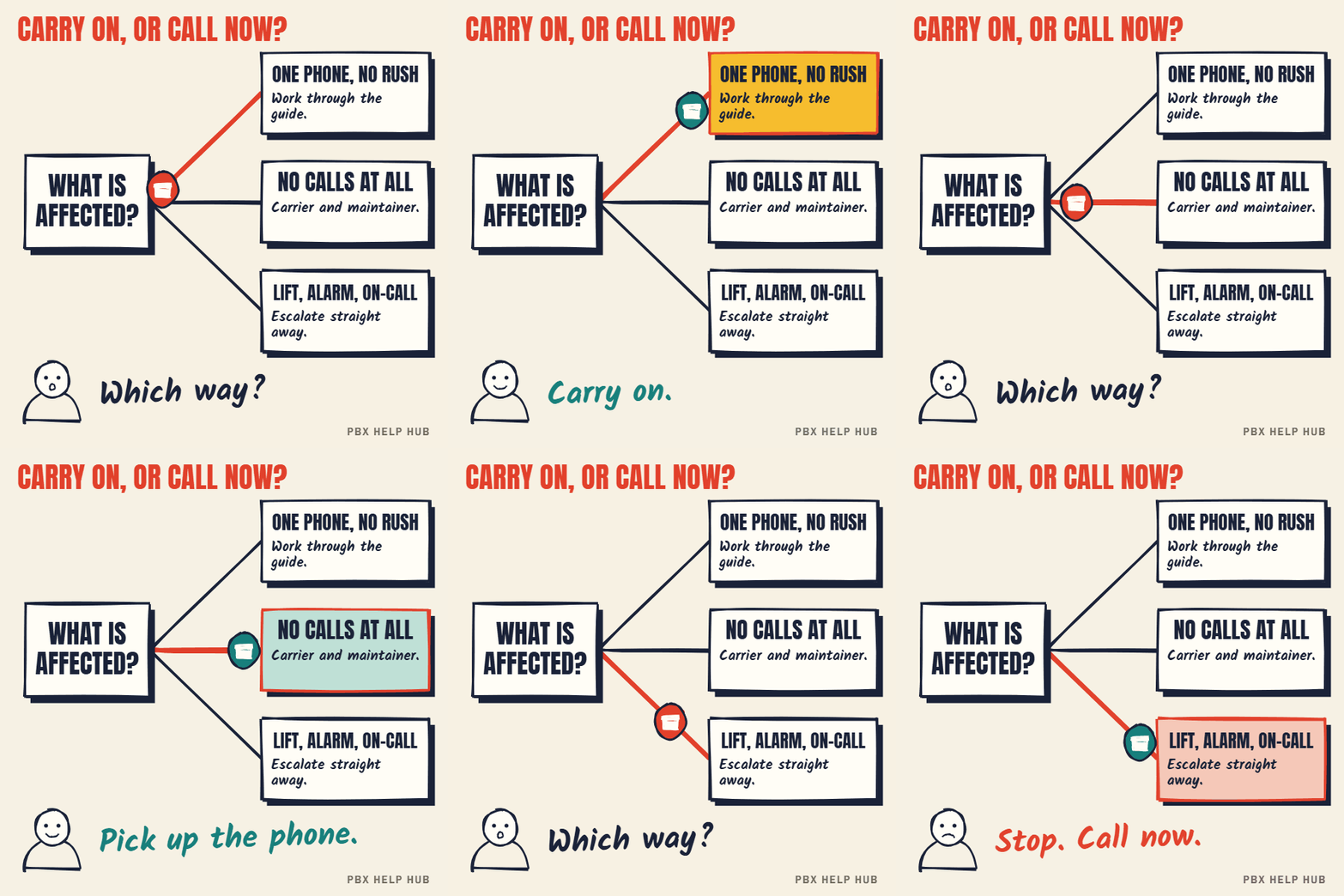
| Critical: now | No calls in or out; lift, alarm or safeguarding lines down; a whole site affected | Call your maintainer and carrier immediately. Make sure staff can use mobiles meanwhile. |
| High: today | A key team can't receive calls; a main number goes to the wrong place | Log a fault with your maintainer, with evidence |
| Normal: this week | One user's phone, voicemail timing, a menu wording | Work through the guide, then log it if unresolved |
Escalate now if
- Lift phones, alarms, safeguarding or on-call lines are affected.
- No calls are arriving or leaving.
- Several phones or a whole site went down at once.
- The fix needs a change to lines, firewall, network or system software.
- You'd need to restart the system during working hours.
- Nobody has a recent configuration backup.
If your phone system is down, staff may not be able to call 999 or 112 from desk phones. Tell people to use mobiles until it's fixed, and make sure reception knows.
Who to call
- Your maintainer for anything inside the phone system: routing, groups, handsets, the system itself.
- Your carrier or SIP provider when no calls arrive, outgoing calls fail, or numbers stop working.
- Your IT support when the fault started after a network, router or firewall change.
Before you call
- Fill in the fault log: times, numbers dialled, what happened. It saves the first half hour.
- Note what you've checked, and anything you changed.
- Have your contract or account number ready.
No maintainer, or want a second opinion? Request a fault review.
Writing an escalation that gets action
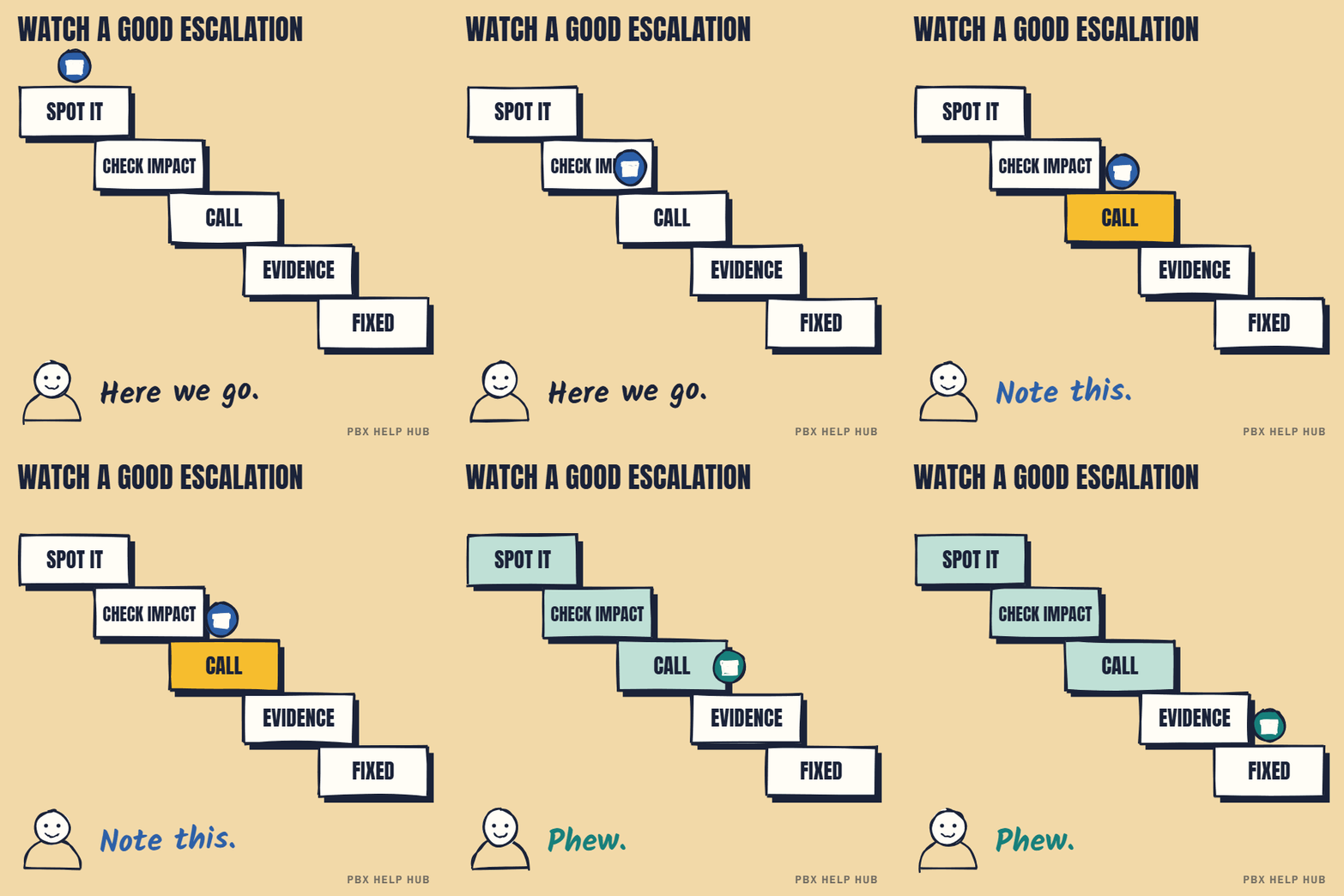
An escalation that states impact, scope and evidence in the first two lines gets handled faster.
| Line | Example |
|---|---|
| Impact | "Customers can't reach our support team." |
| Scope | "All calls to the support number since 08:30; other numbers fine." |
| Evidence | "Three examples attached; no changes made." |
| Urgency | "High: our busiest morning." |
| Contact | "Call me on my mobile; desk phones affected." |
After the fix
Ask what the cause was, what was changed, and how to stop it happening again. Keep the answer with your fault log and backups. Repeated escalations for the same fault are evidence when you review your support contract or consider replacing the system.
Your escalation checklist
- Decide the urgency level from the table above.
- Tell staff to use mobiles if desk phones are down.
- Call the right party: maintainer, carrier or IT.
- Send impact, scope, evidence and a contact number.
- Record the reference number and the time you called.
Common questions
When should I call my phone maintainer?
Immediately for outages, emergency lines or whole-site faults; the same day for key teams; otherwise after working through the guide.
Who do I call when no calls come in?
Your carrier or SIP provider first, then your maintainer.
Can staff call 999 if the phone system is down?
Possibly not from desk phones. Tell staff to use mobiles until it's fixed.
What should I tell the engineer?
When it started, what's affected, three examples, and what you've checked or changed.
Sources
Last checked 9 November 2026 against the sources listed here. Menus and defaults can differ by software release, so confirm them on your own system. Spotted a mistake? Tell us.