Three Avaya families you may find on UK desks: a 9600, a J100 and an older 4600. The model is printed on the label underneath each one.
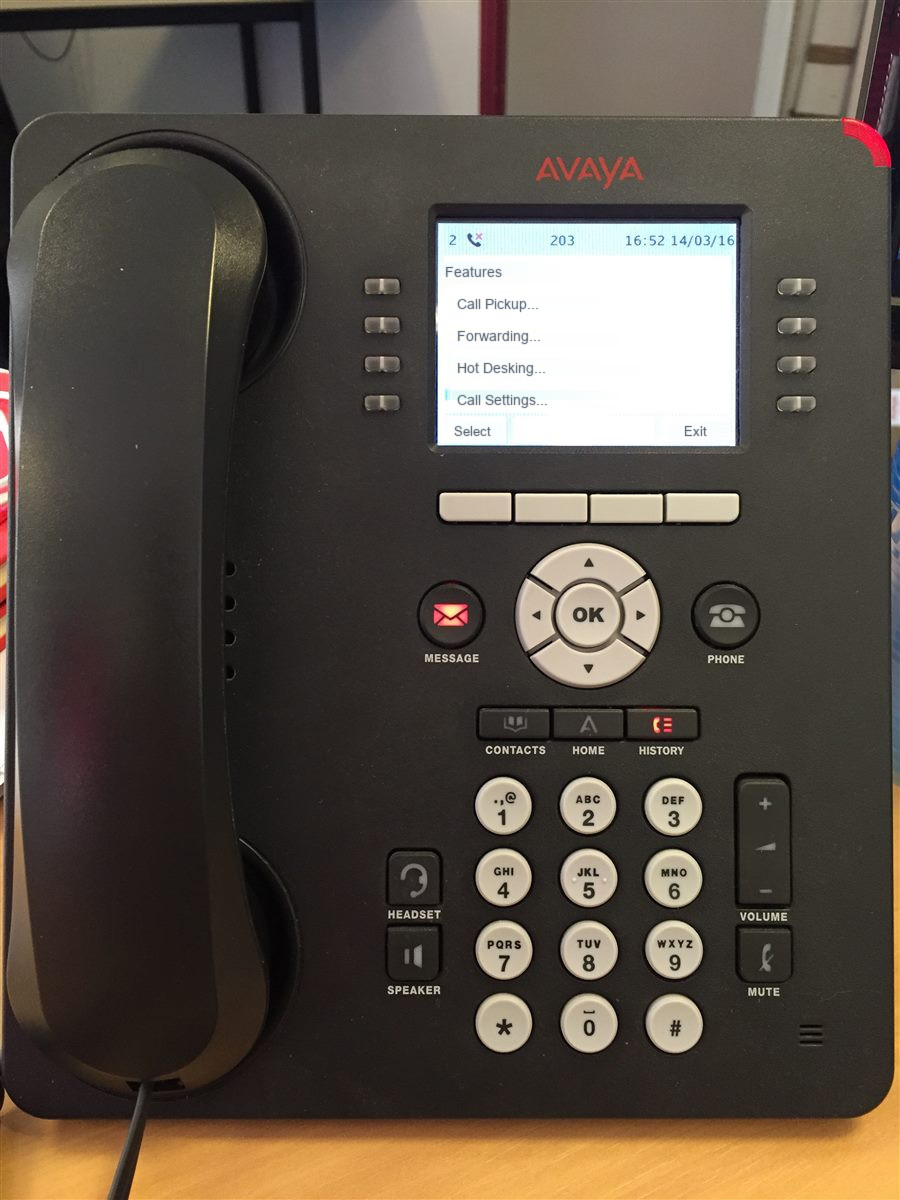
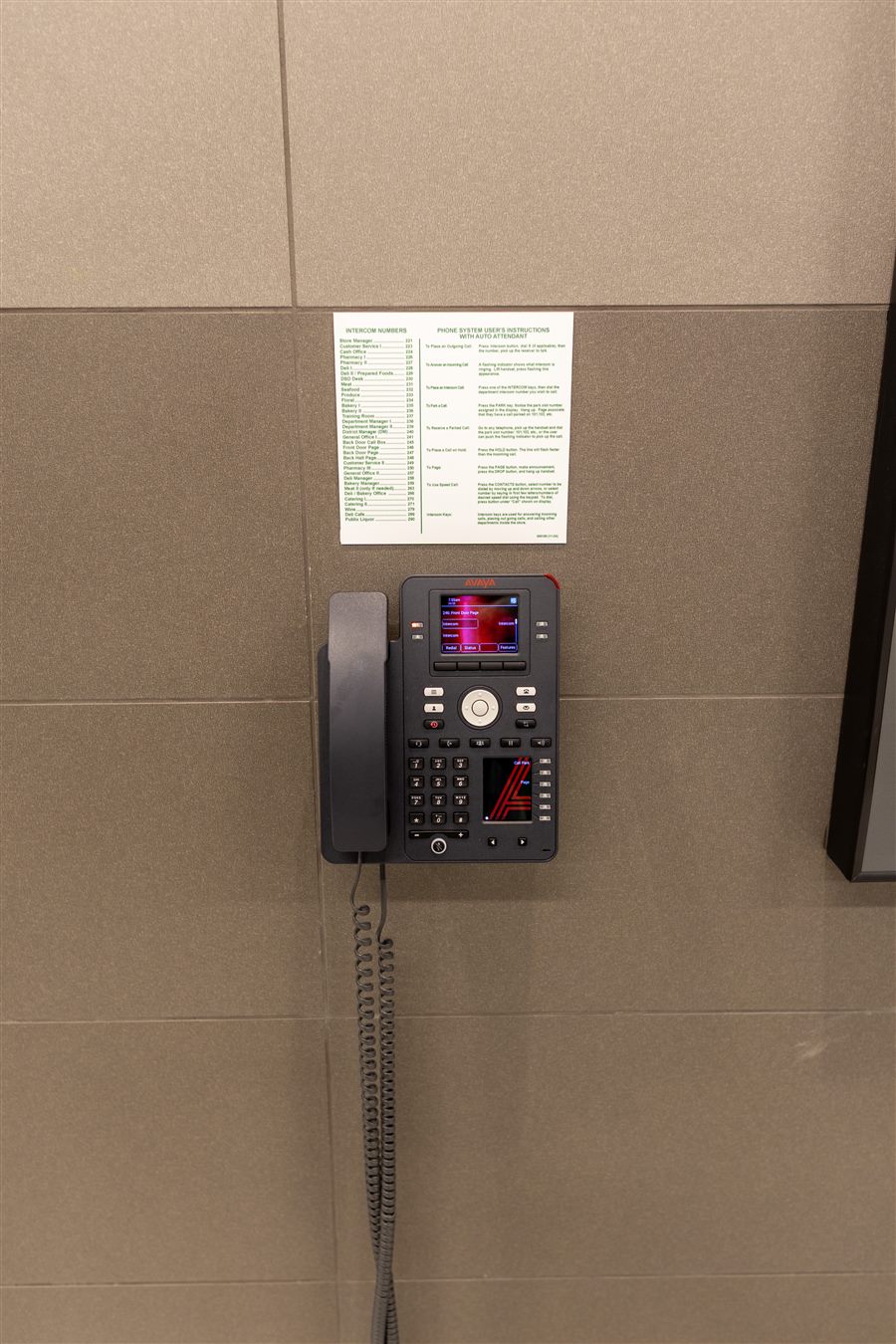
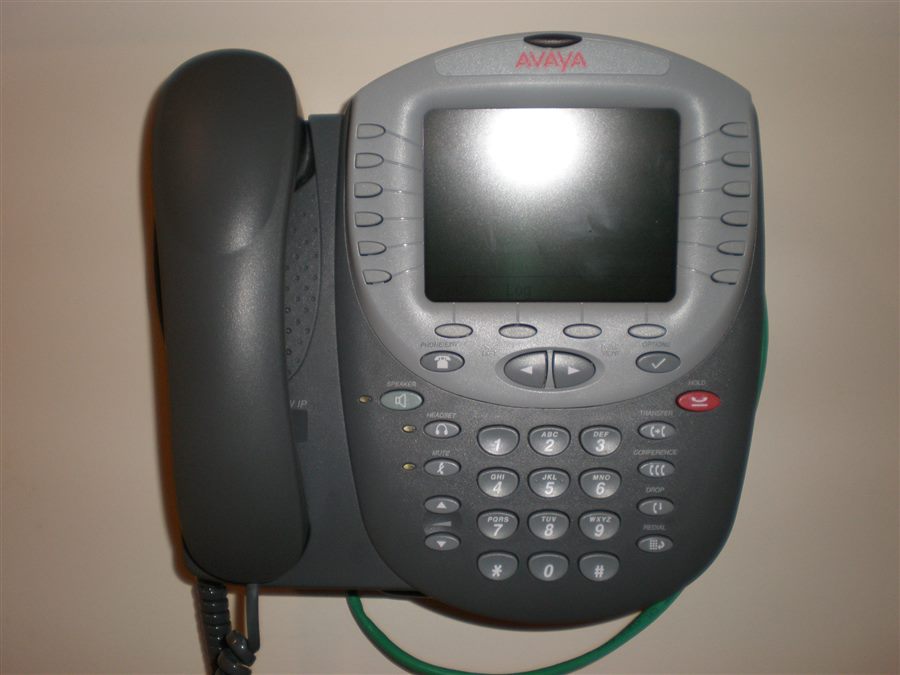
Which family is your phone?
| Family | How to recognise it | Typical use with IP Office |
|---|---|---|
| J100 series | Model starts with J (e.g. J139, J169, J179, J189) | Newer SIP desk phones |
| 9600 series | Model starts with 96 (e.g. 9608, 9611G, 9641G) | Widely installed IP desk phones |
| 1600 series | Model starts with 16 (e.g. 1608, 1616) | Entry-level IP desk phones |
| 1400 series | Model starts with 14 (e.g. 1408, 1416) | Digital phones on older installs |
| DECT handsets | Cordless, often 3700 series | Warehouses, shop floors |
Where the official guides are
Avaya publishes user guides on its support site, support.avaya.com ↗. Search for your model number plus "IP Office user guide": phones can behave differently depending on the system they're connected to, so choose the IP Office version of the guide.
Common tasks
- How to forward calls on an Avaya desk phone
- Avaya IP phone stuck on Discover or not getting an address
- Reset an Avaya phone safely
Find the model on the phone itself
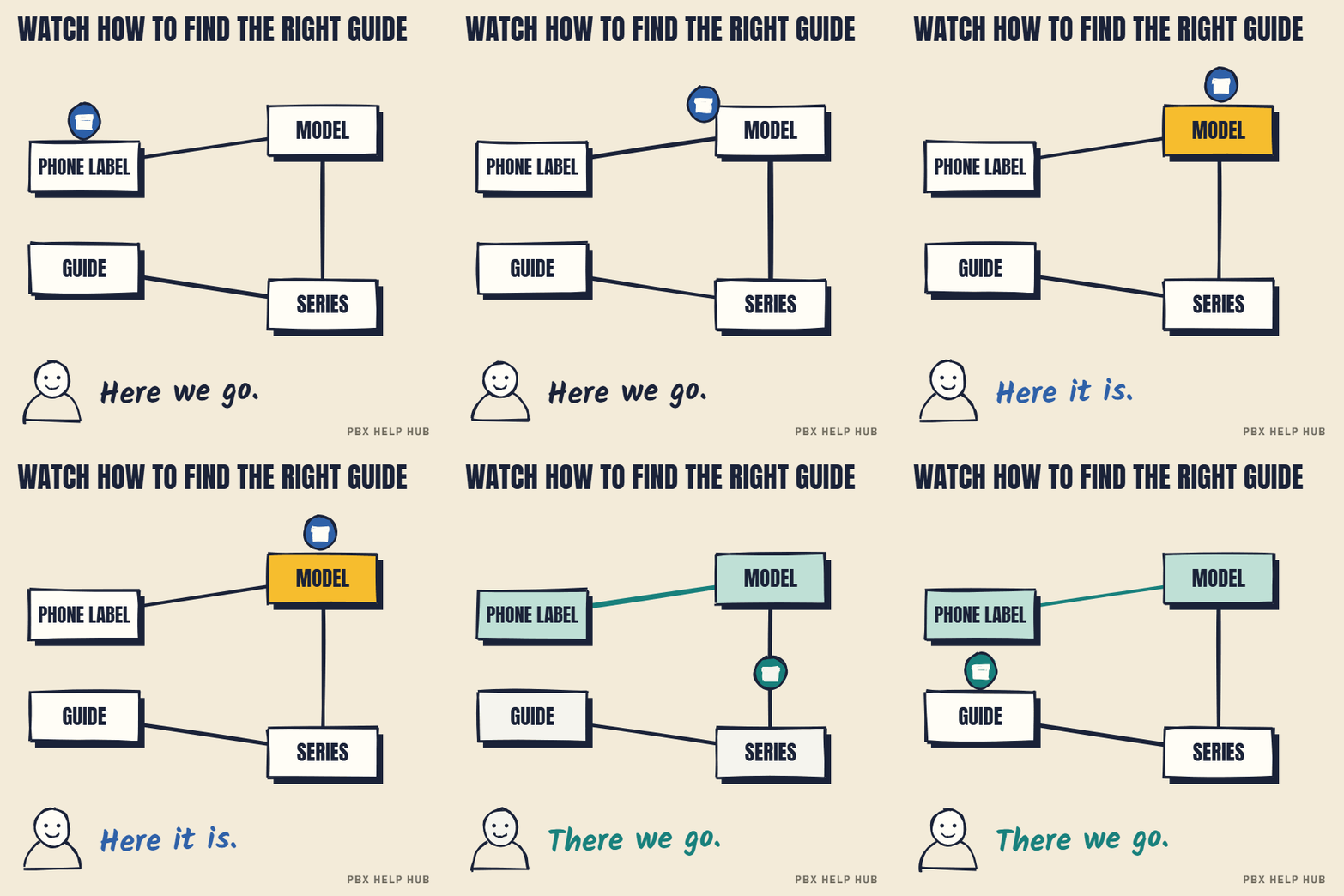
The fastest way to identify an Avaya desk phone is the label underneath, which shows the model and usually the MAC address and serial number. Turn the phone over without unplugging it if you can. If the label is worn, most models show the model in a menu: look for an "About", "Phone information" or similar screen in the settings. Write down the model and the MAC address: an engineer will ask for both.
Which guide do you need?
Avaya publishes several documents per model, and the short user guide is usually enough.
| Document | Who it's for | Use it for |
|---|---|---|
| User guide | Everyone | Transfers, conference calls, forwarding, voicemail, contacts |
| Quick reference | Everyone | A one-page card to print for each desk |
| Installation guide | Whoever sets up phones | Mounting, power, network connection |
| Administration guide | Your maintainer | Settings stored on the phone and the system |
Why the phone system matters
The same Avaya handset can behave differently on IP Office than on other Avaya systems, because many features come from the system, not the phone. Button labels, softkeys and feature codes can all differ. Always choose the guide that names IP Office, and if your system is a different Avaya product, choose that one instead. Your maintainer can confirm which system you have.
Common tasks people search for
- Forwarding calls: see How to forward calls on an Avaya desk phone.
- Phone stuck on "Discover" or no network: see Avaya IP phone stuck on Discover or not getting an address.
- Restarting or resetting a phone: see Reset an Avaya phone safely.
- Calls ringing the wrong person: usually a system setting, not the phone. See Calls not reaching the right people.
Older phones still in use
4600 and 5600 series phones aren't supported on IP Office Release 10.1 or later, so if you have them, you're on an old release or an unsupported setup. The 1400 digital series is different, so check with your maintainer. Older models can have fewer features and older documentation, and some may not work with newer system releases. If you're mixing old and new phones, or replacing broken ones with second-hand units, check compatibility with your maintainer first.
Your find-the-guide checklist
- Read the model and MAC address from the label underneath.
- Match the model to its series in the table above.
- Confirm your phone system is IP Office.
- Open the IP Office user guide for that model.
- Print the quick reference card for the desk.
Avaya manuals by model
Search Avaya's documentation by series rather than by exact model, because one guide usually covers a whole family.
| Your phone | Series | What to search for |
|---|---|---|
| 9608, 9608G, 9611G, 9641G | 9600 | "9600 series user guide IP Office" |
| J129, J139, J159, J169, J179, J189 | J100 | "J100 series user guide IP Office" |
| 1603, 1608, 1616 | 1600 | "1600 series user guide IP Office" |
| 1408, 1416 | 1400 | "1400 series user guide IP Office" |
| Cordless (DECT) handsets | 3700 and others | "DECT handset user guide IP Office" |
Common questions
Where do I find my Avaya phone's model number?
On the label underneath the phone, and usually in the phone's settings or about screen.
Is there a different manual for IP Office?
Yes. Many Avaya phones work with several systems, and features differ, so pick the guide that says IP Office.
What's the difference between 9600 and J100 phones?
The 9600 series is a widely installed earlier IP range; the J100 series is the newer range. Your maintainer can confirm which your system supports.
Can I download Avaya manuals for free?
User guides are published on Avaya's support site; some documents may need an account.
Sources
Last checked 9 November 2026 against the sources listed here. Menus and defaults can differ by software release, so confirm them on your own system. Spotted a mistake? Tell us.