Why phones get their own lane
Speech is sensitive to delay. A file download that takes an extra second is fine; a voice packet that arrives a fraction of a second late becomes a gap in the call. Putting phones on their own VLAN lets the network give voice priority (often called QoS), keeps phones separate from computers for security, and makes faults easier to trace.
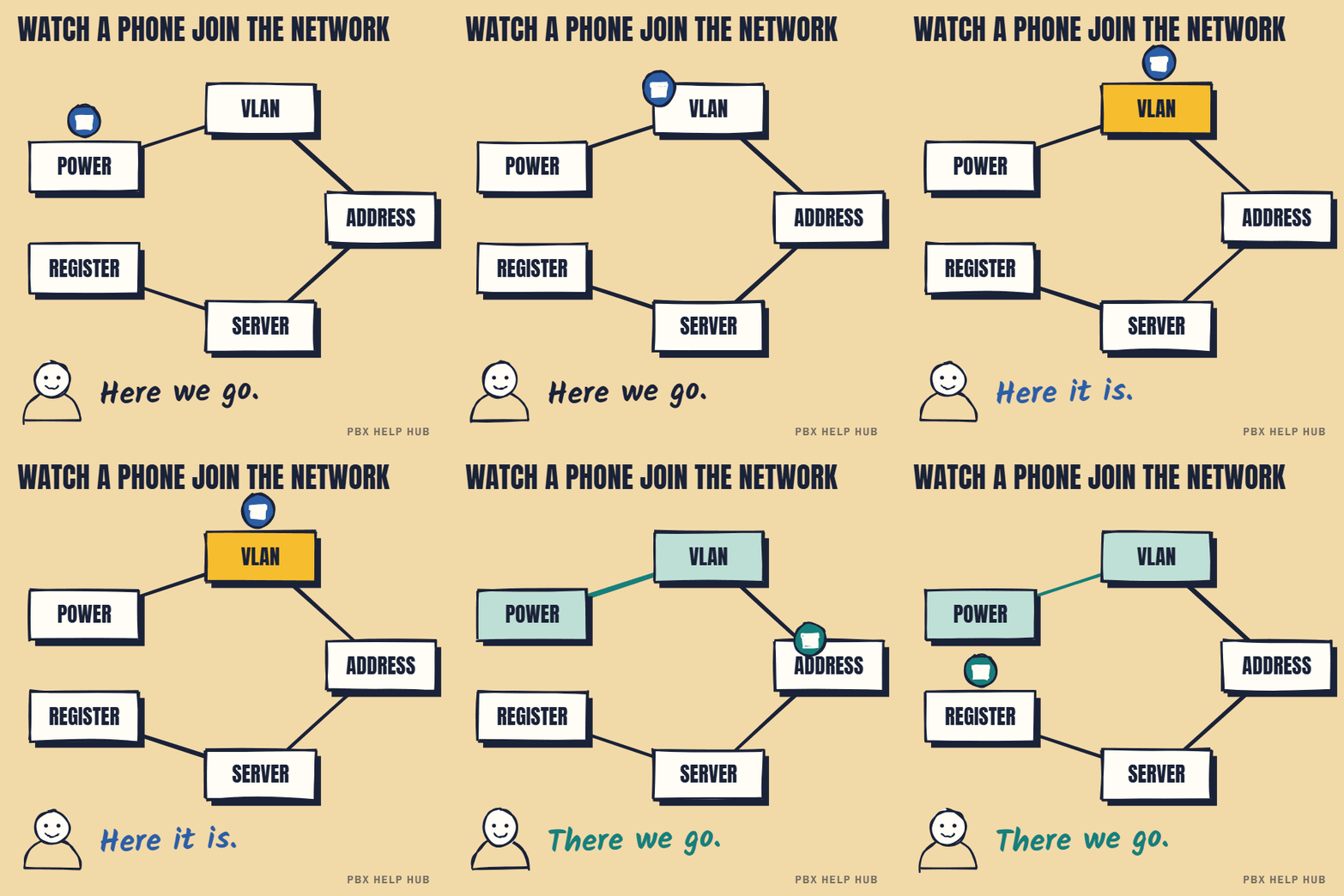
How a desk phone joins the network
- Power: usually through the network cable, from a switch that supports PoE.
- Which VLAN: the switch tells the phone, typically using a discovery protocol (LLDP, or CDP on Cisco networks), through DHCP settings on some systems, or by hand.
- Address: the phone asks DHCP on the voice VLAN for an IP address.
- Where to go: extra DHCP settings ("options") tell the phone where its call server or settings files are. Avaya and Cisco phones use different options.
- Register: the phone contacts the call server and starts working.
Common faults, by step
| Symptom | Likely step | Typical cause |
|---|---|---|
| No display | Power | Port without PoE, or PoE budget used up on the switch |
| No IP address | VLAN or DHCP | Port not set for voice, or no DHCP on the voice VLAN |
| Address, but can't find the server ("Discover", "Registering") | DHCP options | Missing or wrong option for the phone's make |
| Works at one desk, not another | VLAN or power | That port is set differently |
| Calls connect but audio is one-way | Routing between VLANs or firewall | See One-way audio or no audio on calls |
Suspect the network or DHCP server before the phones, especially after a switch replacement or network change. For make-specific steps, see Avaya IP phone stuck on Discover or not getting an address and Cisco IP phone not registering.
QoS: giving voice priority
Quality of Service (QoS) tells the network to send voice packets first, so calls stay clear when the network is busy. Phones mark their packets as voice, and switches and routers that respect the marking queue them ahead of other traffic. QoS only works if every device on the path is set up for it, which is why it's usually done when the voice VLAN is designed.
PC-through-phone connections
Many desks connect the computer through the phone, which has a small network switch built in. The phone puts its own traffic on the voice VLAN and passes the computer's traffic to the data network. If a desk has no computer connection after a phone swap, the replacement phone or its settings may not support passing traffic through.
When there's no separate voice VLAN
Small offices sometimes run phones and computers on one network, which can work but makes faults harder to isolate. Calls are more likely to break up during big downloads, and a problem with the office DHCP server takes the phones down with the computers. If you're upgrading the network anyway, adding a voice VLAN is worth discussing.
Your network checklist
- Check the phone has power (display on).
- Try a port where another phone works.
- Ask whether that port is set for the voice VLAN.
- Ask whether DHCP serves the voice VLAN, with the right options.
- Check whether other phones on the same switch are affected.
Common questions
What is a voice VLAN?
A separate lane on the office network reserved for phones, so voice gets priority and stays separate from computers.
Why do IP phones need DHCP options?
Extra DHCP settings tell phones where their call server or configuration files are. Avaya and Cisco use different options.
Why does my phone work at one desk but not another?
The network ports are set differently: one may lack power, or be on the wrong VLAN.
Do I need a voice VLAN?
It isn't always required, but most business installs use one for call quality and security.
Should a voice VLAN be tagged or untagged?
Usually voice traffic is tagged on the switch port, and the computer's data traffic is untagged on the same port. The exact setup depends on your switches and phones.
Sources
Last checked 9 November 2026 against the sources listed here. Menus and defaults can differ by software release, so confirm them on your own system. Spotted a mistake? Tell us.