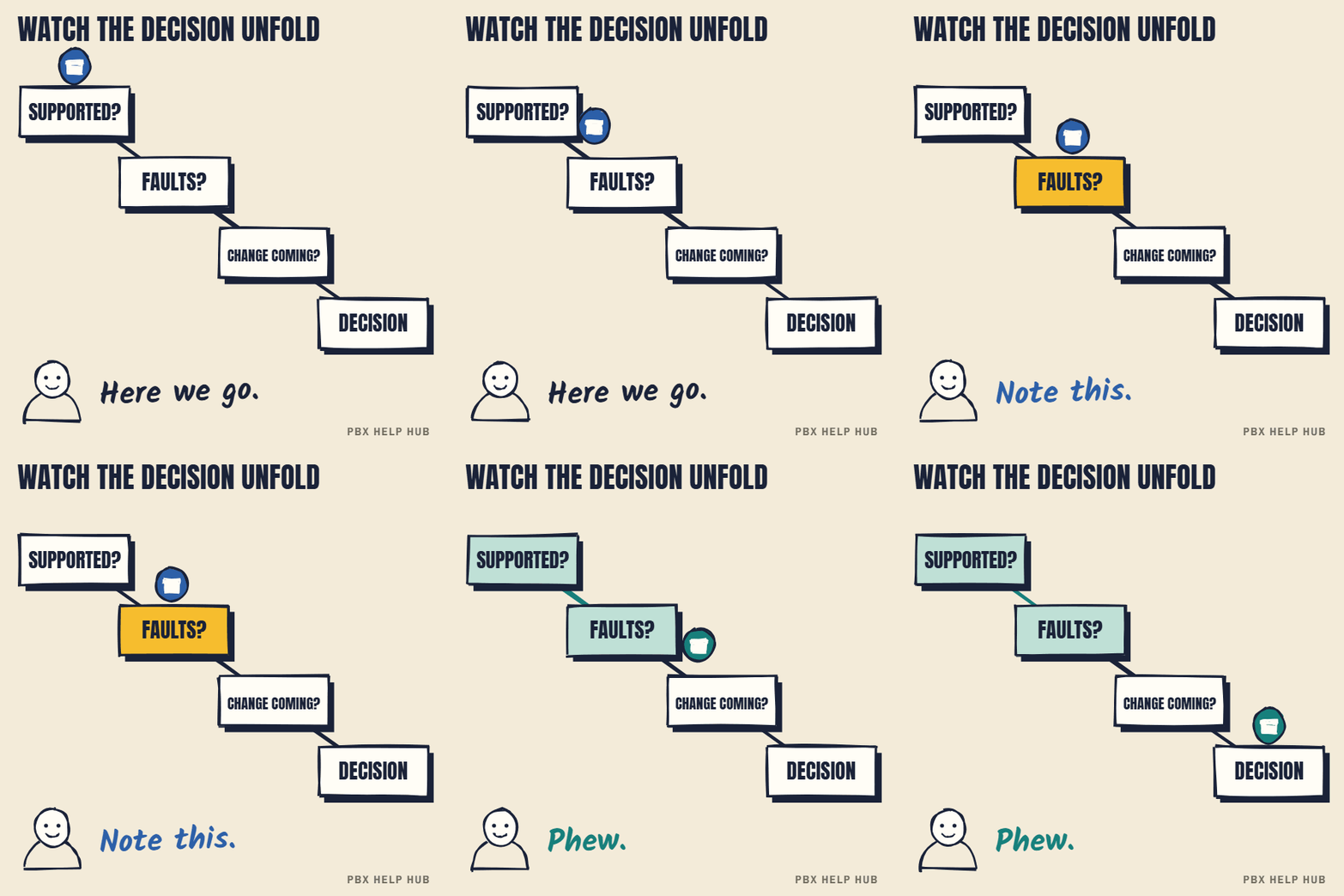
The three questions
- Is it still supported? If not, assess replacement now. See IP Office 500 V2: support status and options for UK owners.
- Are faults coming back every month? If so, plan an upgrade or replacement.
- Is a move, new site or renewal coming? If so, price both options before then.
If the answer to all three is no, keep it: fix today's fault, keep a backup, and review again in a year.
The options side by side
| Option | Good when | Watch out for |
|---|---|---|
| Keep | Supported, stable, lines ready | Spares and expertise thinning over time |
| Upgrade IP Office | Staff know it; call flows are complex | Licence costs; hardware lifecycle |
| 3CX | You want control and flexible hosting | Needs a capable partner to set up and support |
| Teams Phone | You already live in Microsoft 365 | Licences per user; receptionist and group features vary |
| Hosted (cloud PBX) | You want no hardware on site | Contract length; number porting |
Costs depend on users, lines and features.
Our replacement assessment includes a downtime cost calculator and a fair, costed comparison.
Why "keep it" is a real option
Keeping a stable, supported Avaya IP Office is often the cheapest and least disruptive choice, and it deserves the same scrutiny as any new system. A system that works, is backed up and has a maintainer with spares can serve for years. The cost of keeping it is the maintenance contract plus the risk of an unplanned failure. Compare that honestly with the cost and disruption of a move.
What to compare, whatever you choose
| Factor | Why it matters |
|---|---|
| Total cost over 3–5 years | Hardware, licences, lines, support and training, not just the upfront price |
| Call flows | Can the new system handle your groups, menus and out-of-hours rules? |
| Reception and switchboard | Some platforms are weaker at busy reception work |
| Numbers | Can every number be ported, and how long will it take? |
| Lines and resilience | What happens if the internet goes down? |
| Support | Who fixes it, how fast, and at what cost? |
| Staff change | Training, new handsets or apps, and the first weeks of support |
3CX, Teams Phone and hosted systems in one sentence each
- 3CX: a software phone system you can host yourself or in the cloud, flexible and often cost-effective, but it needs a capable partner.
- Teams Phone: calling built into Microsoft Teams, natural if staff already work in Microsoft 365, with per-user licences.
- Hosted (cloud) systems: the provider runs everything, so there's no hardware on site, but you're tied to their contract and features.
Each has strong and weak fits. None is automatically better than keeping a system that works.
Questions to ask any supplier
- Can you show our current call flows working on your system before we sign?
- What's the total cost over five years, including lines and support?
- How will our numbers be moved, and what's the cut-over plan?
- What happens to calls if our internet fails?
- Who supports us after go-live, and how quickly?
Get the timing right
The best time to change a phone system is before you're forced to. Line switch-offs, contract renewals and office moves are natural moments. Give yourself several months: number porting and training take longer than you might expect. Check your lines in ISDN switch-off: what it means for your on-site phone system, and other devices on them with the dependency checker.
Common questions
Should I replace my Avaya IP Office?
Only if it's out of support, faults keep returning, or a move or renewal makes it the right moment. Otherwise keep it, back it up and review yearly.
Is 3CX a good replacement for IP Office?
It can be, if you want control and flexible hosting and have a capable partner. Compare it with Teams Phone, hosted systems and staying put.
Is Teams Phone better than IP Office?
It suits organisations already using Microsoft 365, but licences are per user and reception or group features vary. Check your call flows fit.
How long does a phone system migration take?
It depends on users, numbers and sites; number porting alone takes time. Plan well before any deadline.
Sources
Last checked 9 November 2026 against the sources listed here. Menus and defaults can differ by software release, so confirm them on your own system. Spotted a mistake? Tell us.