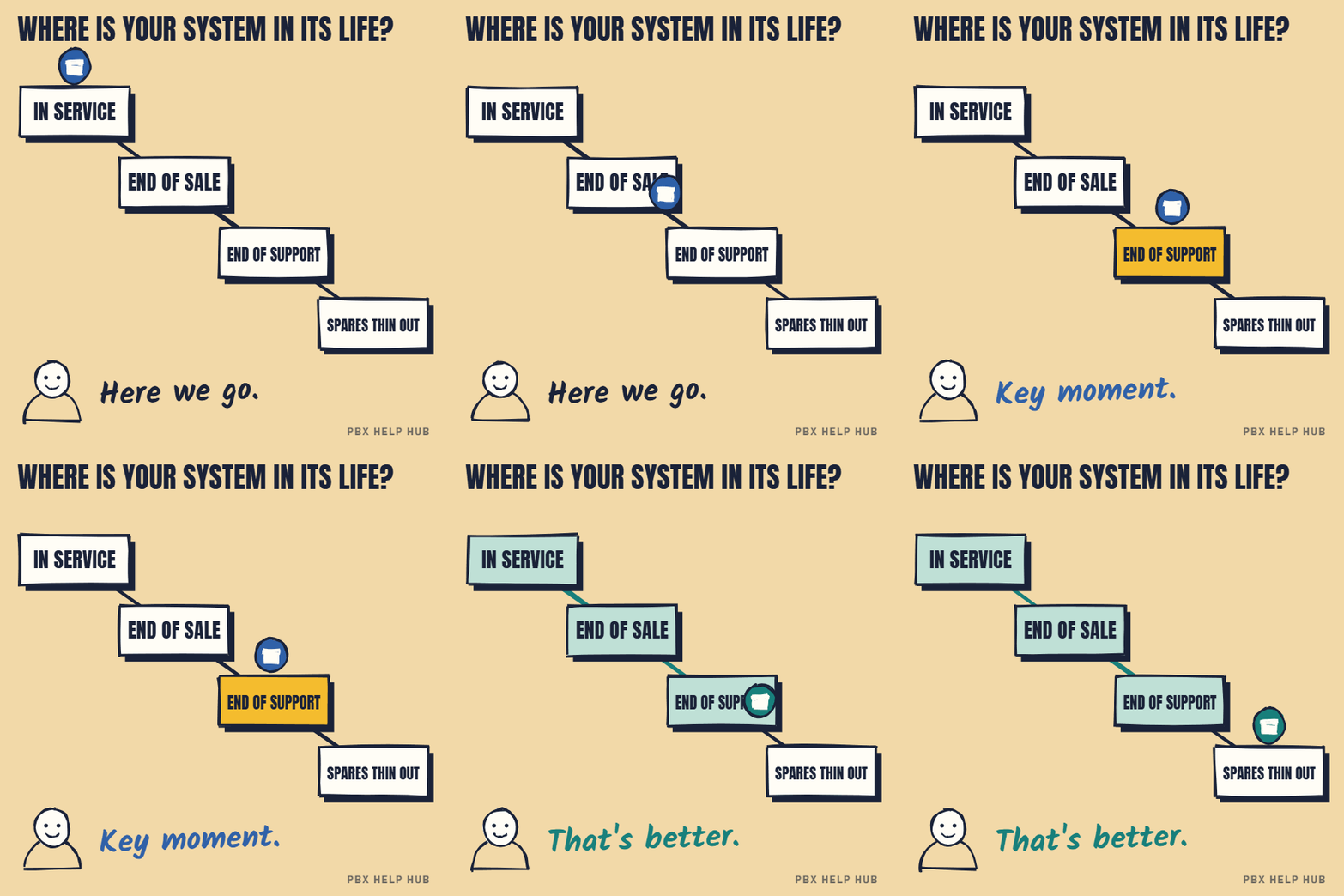
| Stage | MiVoice Office 250 | Application Suite |
|---|---|---|
| End of new system sales | 31 January 2022 | 31 January 2023 (end of sales) |
| End of add-on sales | 30 June 2022 | Not listed separately |
| End of software design | 31 January 2023 | 31 January 2024 |
| End of technical support | 30 June 2026 | 30 June 2027 (and end of life) |
From Mitel's end-of-life bulletin (a partner-hosted copy) ↗. It covers only the US, Canada, Australia and Caribbean, so these are not UK dates, and it calls dates after end of new sales "planned".
Mitel completed a financial restructuring in June 2025 and continues to trade. Source: Mitel ↗
What the MiVoice Office 250 is
The MiVoice Office 250 is an on-site business phone system for small and mid-sized organisations. Many installs date from its earlier name, the Mitel 5000. It's typically found in offices, surgeries, schools and shops with tens to a few hundred extensions, often still on ISDN lines.
What the lifecycle stages mean for you
| Stage | What changes | Risk to you |
|---|---|---|
| End of sale | No new systems sold. Existing ones keep running. | Low. Expansion may get harder. |
| End of software maintenance | No new releases or fixes. | Medium. Known bugs and security issues stay. |
| End of support | The maker no longer helps your maintainer. | Higher. Repairs rely on spares and experience. |
Five questions to ask your maintainer
- Exactly which model, hardware and software version do we have? Status can differ between versions.
- Can you still get spares, and for how long? A failed main unit with no spare is the real risk.
- When was our configuration last backed up, and can we have a copy? See Back up your configuration safely before any change.
- Which lines does it use? If ISDN or analogue, the switch-off may force a change sooner than the hardware.
- What would it cost to keep it covered for two more years? That's the number to compare against replacing.
Your options
| Option | Makes sense when | Watch out for |
|---|---|---|
| Keep it, with cover | Stable, spares available, lines ready | Cover costs rising; fewer engineers who know it |
| Move to a newer Mitel platform | Staff like how it works; you want continuity | Licence and hardware costs; migration effort |
| Replace with 3CX, Teams Phone or hosted | A move, renewal or line change is due anyway | Number porting; retraining; contract terms |
Our repair, upgrade or replace guide uses the same three questions for any system: is it supported, are faults coming back, and is a change coming anyway?
Most risk comes from a failure with no plan. A current backup, a spares answer from your maintainer and a written list of your numbers and call routing take an afternoon, and make any later move far easier. If you want it costed, see our replacement assessment.
Signs the MiVoice Office 250 needs attention soon
A MiVoice Office 250 that's out of support needs attention sooner when faults repeat, spares are uncertain or the lines are changing. None of these means "replace tomorrow", but each one shortens the time you have to plan.
- The same fault has come back more than twice in a year.
- Your maintainer can't confirm a spare main unit or power supply.
- Nobody has a recent configuration backup.
- Your lines are ISDN or analogue and your provider has written about the switch-off.
- The engineer who knows your system best has left the maintainer.
What a migration involves
Moving off a MiVoice Office 250 is mostly about your numbers, your call flows and your people, not the hardware. A good plan covers each of these.
| Area | What to plan |
|---|---|
| Numbers | A full list of every number, and a porting plan with dates |
| Call flows | Groups, menus and out-of-hours rules written down before anything changes |
| Handsets | Whether existing phones can be reused, or need replacing |
| Other devices | Alarms, door entry and card machines on the same lines. See Analogue dependency checker: lifts, alarms, door entry, card machines. |
| Training | Short sessions for reception and team leaders first |
| Cut-over | A date and time with the least call traffic, and a fallback plan |
Keeping it going in the meantime
While you plan, three habits reduce the risk of an unplanned failure. Keep a current, tested backup. Keep a written summary of your numbers and where they go, so any engineer can rebuild your call flows. And keep a fault log, so recurring problems are visible when you decide. For day-to-day ringing faults, see Mitel phone not ringing.
Your planning checklist
- Confirm model and software version with your maintainer.
- Ask about spares and how long they can cover the system.
- Get a configuration backup and a written routing summary.
- Find out which lines you use and your provider's switch-off date.
- List other devices on your lines.
- Compare keep, migrate and replace on the same terms.
Common questions
Is the Mitel MiVoice Office 250 end of life?
Mitel's published notice set technical support to end on 30 June 2026 in the US, Canada, Australia and Caribbean. It doesn't cover the UK, so ask your UK maintainer or Mitel distributor what applies to you.
Can I still get support for a MiVoice Office 250?
Often yes, through independent maintainers, but spares and expertise thin out over time. Ask how long your maintainer can cover it.
What should replace a MiVoice Office 250?
A newer Mitel platform, 3CX, Teams Phone or a hosted system. The best fit depends on your call flows, users and lines.
Was the MiVoice Office 250 called something else?
Many installs date from its earlier name, the Mitel 5000. Confirm your exact model with your maintainer.
Sources
Last checked 9 November 2026 against the sources listed here. Menus and defaults can differ by software release, so confirm them on your own system. Spotted a mistake? Tell us.