Start here: what exactly isn't ringing?
One phone never rings, but others do
Likely stage: 05, the extension. Do-not-disturb, call forwarding, or the extension not being in the ring group are the usual causes. If it doesn't ring for internal calls either, it's the handset, cable or port.
A whole team's phones stopped ringing
Likely stage: 03 or 04. The system is probably in night mode, or the number is now routed to a different group. Check the current mode first: it's the quickest check and a common cause.
It only fails at lunch, evenings or weekends
Likely stage: 03, day/night mode. Automatic mode switching has the wrong times, or someone switched modes by hand and it didn't switch back. See Time profiles and night service explained for how out-of-hours schedules work.
One number rings the wrong phones
Likely stage: 02, incoming routing. The dialled number (the DDI) is translated to the wrong destination, or the carrier is sending different digits than before.
Nothing rings and callers hear nothing useful
Likely stage: 01, the line. Check outgoing calls and your carrier before anything else. Routing settings won't fix a line that's down: see Escalate safely: when to stop and call an engineer.
How a call reaches an SV9100 extension
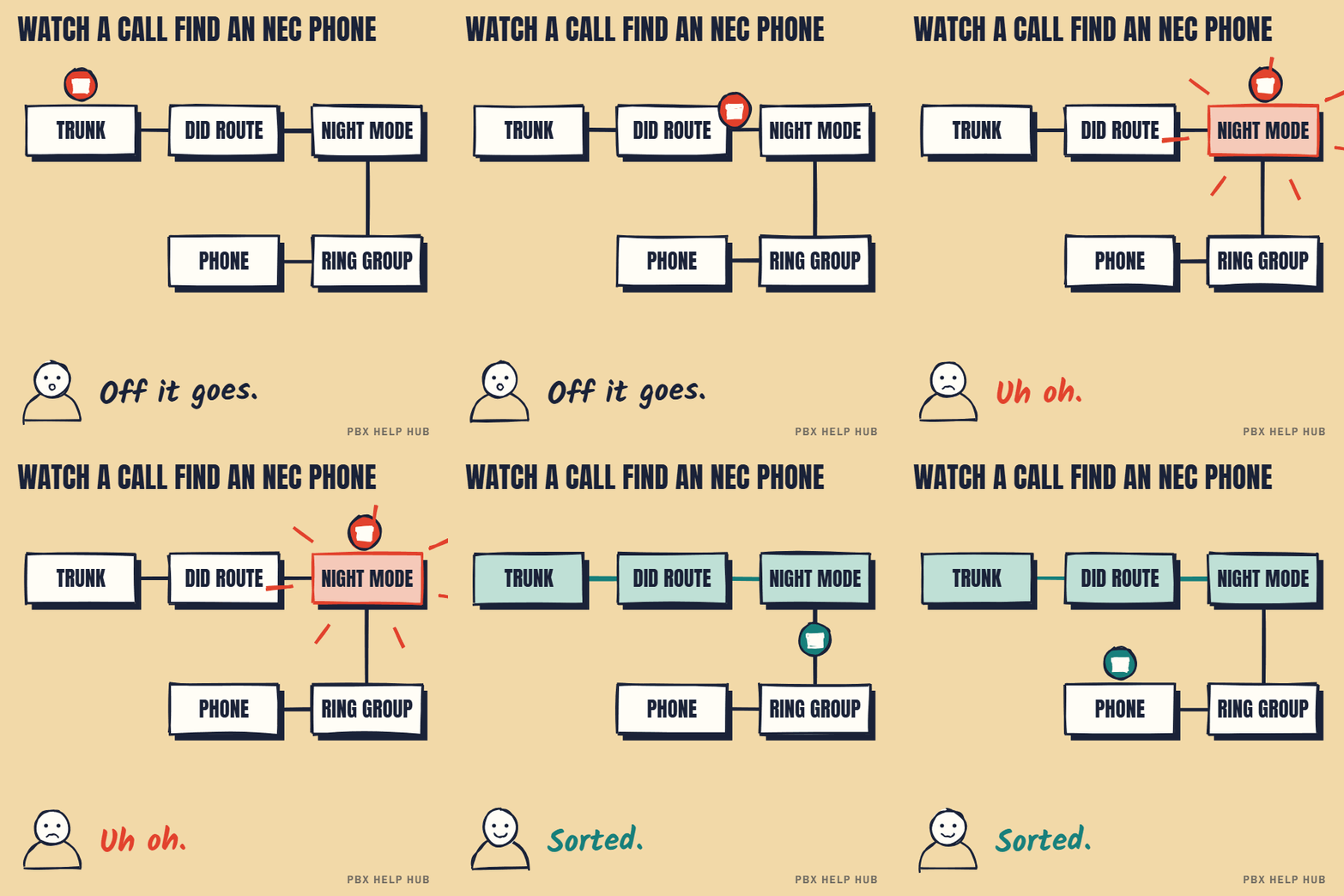
The SV9100 makes the same decisions as any business phone system, in its own vocabulary. Knowing the NEC name for each stage helps when you read the system's settings or talk to your maintainer.
| Stage | What happens | Usually called on the SV9100 |
|---|---|---|
| 01 Line | The call arrives on a SIP, ISDN or analogue line | Trunks |
| 02 Route | The dialled number is matched to a destination | DID translation, or the trunk's ring assignment |
| 03 Time | The system decides whether it's day, lunch or night | Check which mode the system is in. Many systems have several, such as day, lunch and night |
| 04 Group | The call rings a set of extensions | Incoming ring groups and department groups |
| 05 Extension | The person's own settings apply | DND and call forward |
| 06 Voicemail | Unanswered calls are sent on | InMail or an auto attendant |
NEC terms differ between software versions and installers.
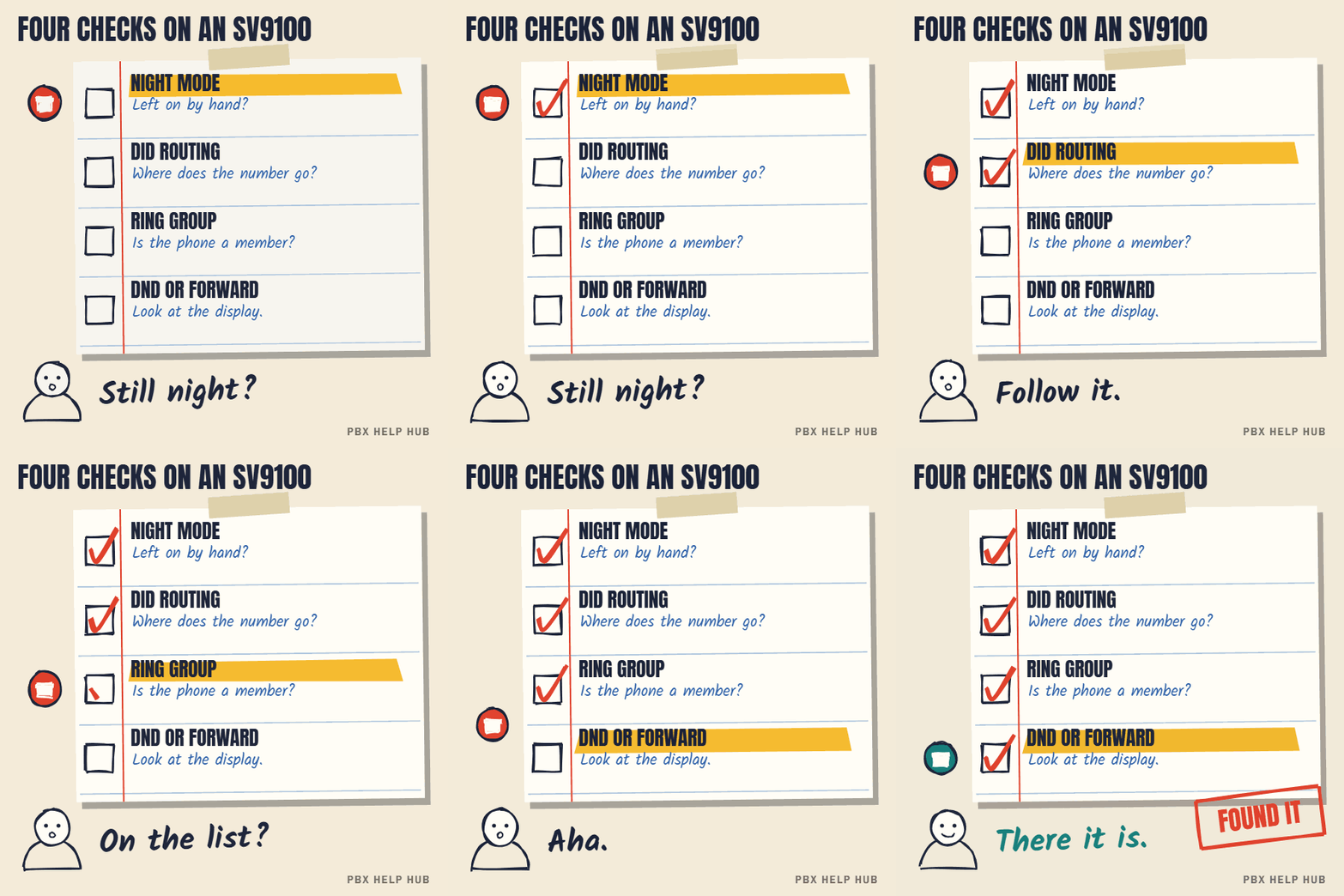
Five checks, in order
- Test internally. Call the extension from another desk phone. If it rings, the handset is fine and the fault is in routing or groups. If it doesn't, check the display, the cable and the network or line port, and try a known working phone in the same socket.
- Check the mode. Look at the mode the system is in right now: many SV9100 handsets with a display show it, and a mode key may light up. If it's in night mode during working hours, that explains a whole team not ringing. Find out whether someone pressed a mode key, or whether the automatic schedule is wrong.
- Check where the number goes. Note the exact number the caller dialled. In a read-only view, or with your maintainer, find which ring group or extension that number is sent to in each mode. A number sent to one group by day and another at night is normal; a number sent to the wrong group in day mode is the fault.
- Check the group's members. Compare the ring group's members with who should ring. Leavers, new starters and swapped desks are the usual reasons a phone is missing. Also check whether the group rings everyone at once or one after another: in a "one at a time" group, phones further down the list may never get a turn. Hunt group types explained explains the difference.
- Check the person's settings. Ask whether they set do-not-disturb or forwarding, and look for the indicator on the handset. Forwarding to a mobile set during a day off and never cleared is one of the most common causes of "my phone never rings".
Common causes at a glance
| What you see | Most likely cause | Check |
|---|---|---|
| Team silent every lunchtime | Lunch or night mode schedule | 2 |
| Team silent since this morning | Night mode switched on by hand | 2 |
| One person never rings | DND, forwarding, or not in the group | 5, then 4 |
| New starter's phone never rings | Not added to the ring group | 4 |
| Calls ring reception instead of sales | The number's destination | 3 |
| Rings internally, never externally | Routing, not the handset | 3, then 4 |
After a recent change?
If the fault started after a new line, a move to SIP, a staff change or a visit from your maintainer, start with what changed. A new carrier can send the dialled number in a different format, so it no longer matches the old translation. A desk move can leave a person's extension number on a different handset. Write down the change and the date before testing anything else.
Don't switch modes, edit ring groups or reset handsets during working hours just to see what happens: other teams may share the same mode and groups. Ask your maintainer for a configuration backup before anyone changes programming. See Back up your configuration safely before any change.
a whole site or every incoming line stops ringing, the affected group handles urgent or safeguarding calls, or nobody has admin access to the system. See Escalate safely: when to stop and call an engineer.
Collect three examples (time, number dialled, which phones should have rung, what happened) with our fault log. With those, a maintainer can often find the fault remotely.
The same six-stage method works on any system: compare Mitel phone not ringing or the IP Office guide Calls not reaching the right people.
What to try on an SV9100 phone that won't ring
- Check the do-not-disturb type. SV9100 do-not-disturb has different types, including one for internal calls only. So a phone can ring for one kind of call and stay silent for the other, which can look like a routing fault.
- Find the night key. The software allows a programmable Night Service key, which your maintainer sets in Program 15-07-01 or with service code 851 (function 09). On some phones the Day/Night function won't work on CAR or Virtual Extension keys, so a key can look right and do nothing.
- Ask for your quick reference card. We couldn't confirm one set of do-not-disturb and forwarding codes for every SV9100, so we aren't listing any here.
Sources: NEC SV9100 user guide: do not disturb ↗ · NEC SV9100 features manual: Night Service key ↗
Common questions
How do I know if my NEC SV9100 is in night mode?
Many display handsets show the current mode, and a mode key may light. Your maintainer can confirm it.
Why does my NEC phone ring internally but not externally?
The phone works, so the external number is routed elsewhere or a group or mode setting skips it.
What is a ring group on the SV9100?
A set of extensions that ring for incoming calls. Exact names vary; your maintainer can show which groups your numbers use.
Why do calls ring reception instead of the team?
The number's destination, or the mode, sends it there. Check where the dialled number goes in day mode.
Why is my NEC phone not ringing?
Make an internal test call first. If that rings, the phone is fine, and night mode, routing or the ring group is the likely cause. If it doesn't, check DND, the handset's ringer volume and its connection.
How do I turn off night mode on an NEC phone?
It's usually a programmed key or a service code, and it depends on how your system was set up. Ask your maintainer which key your system uses, because changing mode affects everyone sharing it.
Sources
Last checked 9 November 2026 against the sources listed here. Menus and defaults can differ by software release, so confirm them on your own system. Spotted a mistake? Tell us.